Get Things Done.
Don't Make Things Up.
Voodo works with all iPhones and iPod touches running iPhone OS 4.0 or later.
WiFi, Edge, or 3G Network is required for Sync and Google Map.
Voodo is a GTD®/todo app that is really simple & powerful at the same time.
It is so simple that there is nothing to take on. You even don't need to know what GTD is to use it. It is essentially just What, When, Who, and Where.
With five ways to browse tasks, a wonderful Tag system, Sync with Google Calendar, Task Search, Quick Add, Quick Actions, Subtasks, Contacts integration, Task Sharing, Geo Locations, Nearby tasks, smart task Note, customizable Now … Voodo is as powerful as the most professional GTD apps in the App Store, but is much more accessible and affordable.
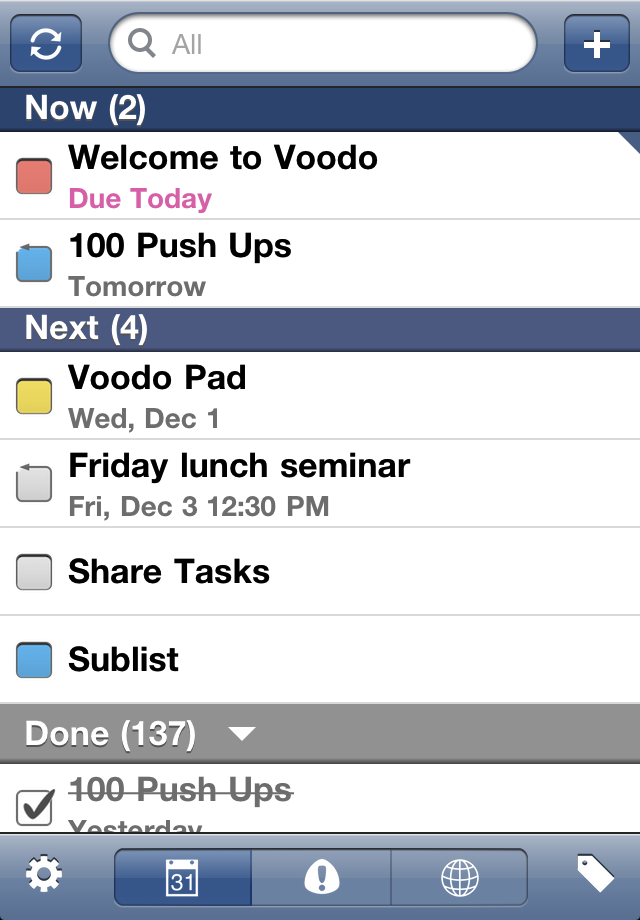
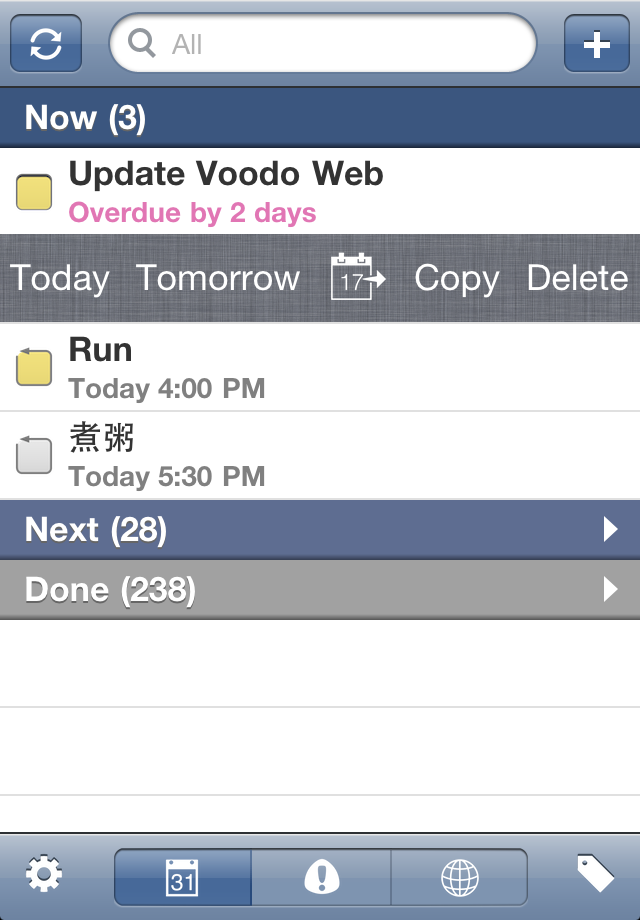
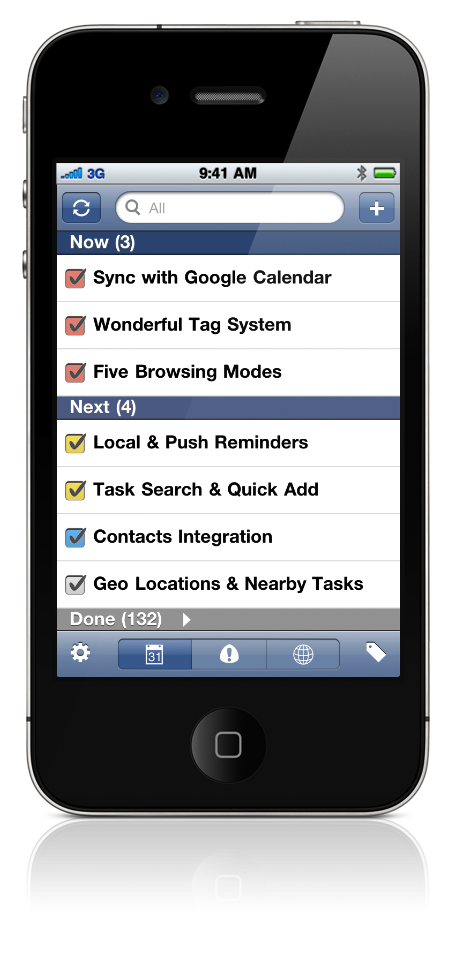
In Time Mode, tasks are ordered by due time and grouped into Now, Next, and Done sections.
You can easily see which tasks are urgent and should be done first.
Time is so critical for task management that you should have full control of it.
Overdue tasks have their time stamp highlighted so catch your eyes in one glimpse.
Tasks with date stamp only are All-day tasks.
Tasks without time stamp are Timeless and could be done anytime.
Tasks with a circular check-box are recurring tasks.
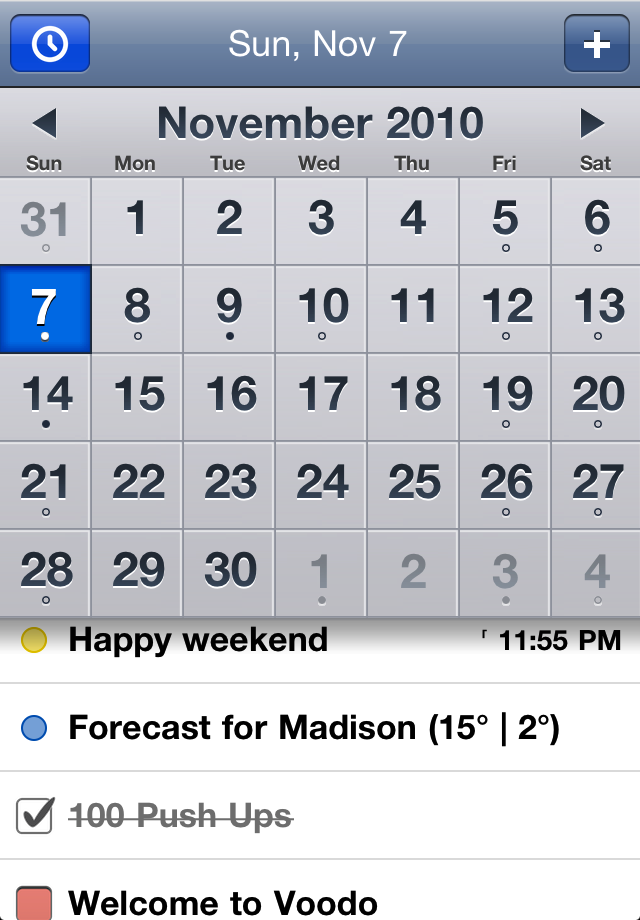
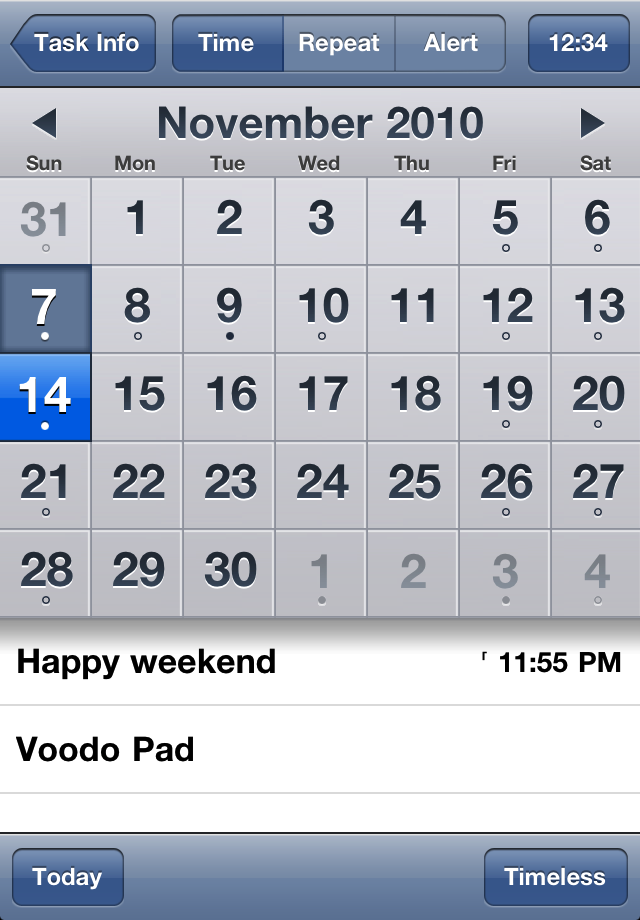
In Calendar Mode, tasks are dispersed among the days of a monthly calendar.
But not only tasks, the system Calendar events are also shown here. With such a comprehensive view, you surely make better schedules.
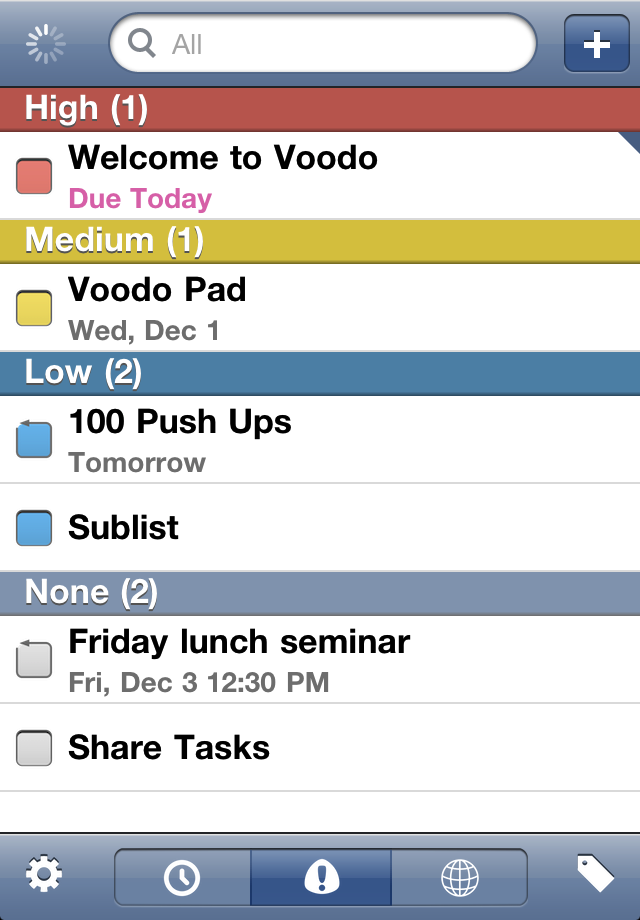
In Priority Mode, tasks are ordered by priority and grouped into High, Medium, Low, and None sections.
You can easily see which tasks are the most important.
The spinner at the top-left denotes a Sync in progress.
Tasks in Voodo sync bidirectionally with events of a calendar named "Voodo" in Google Calendar - the free online calendar offered by Google. Sync is done in an unobtrusive manner and can be done automatically with Auto Sync.
Sync with Google Calendar not only offers you a nice backup of tasks, but also a web portal to view and edit tasks on any computers.
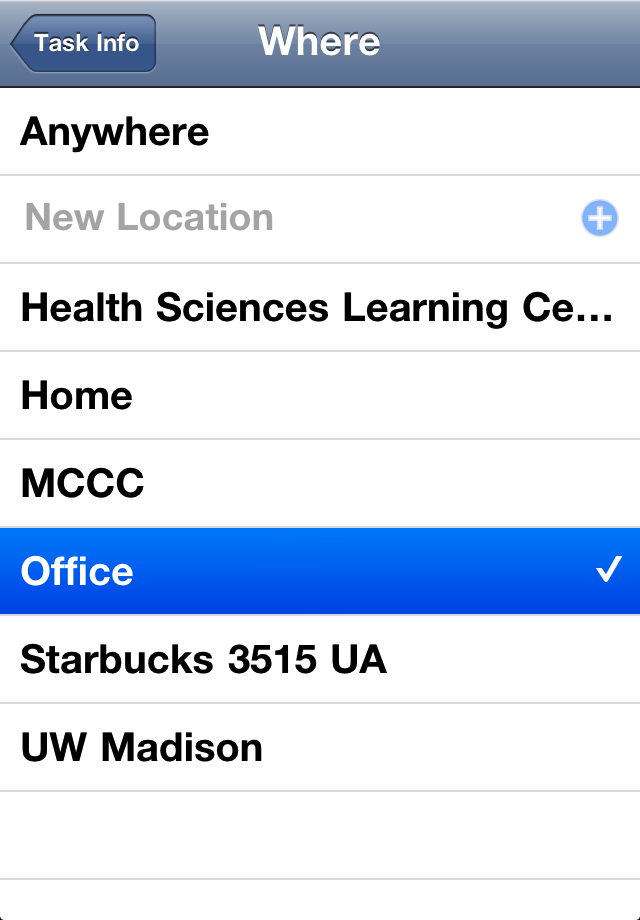
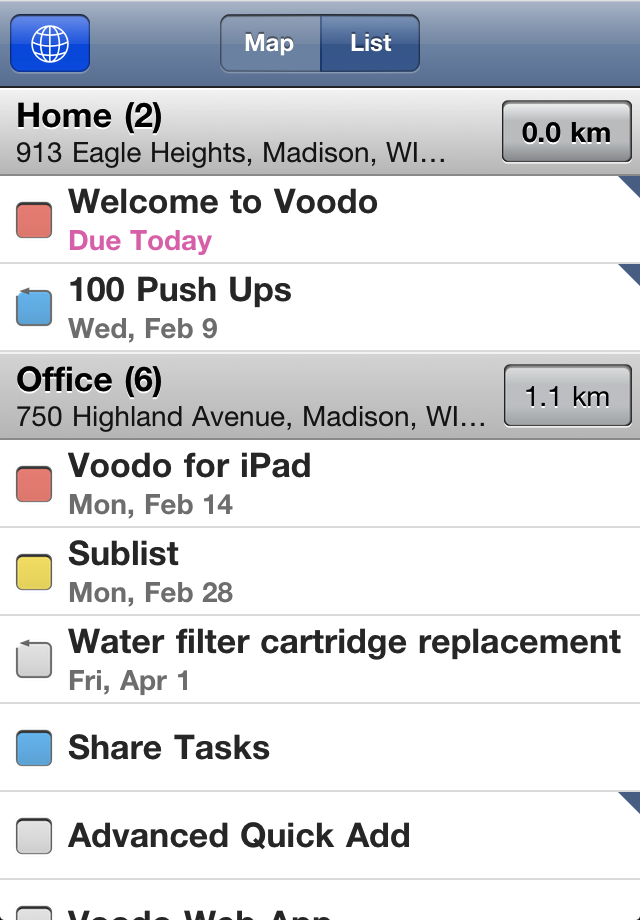
In Location Mode, tasks are grouped by location.
Tasks without location are put into Anywhere.
You can easily see where to do your tasks.
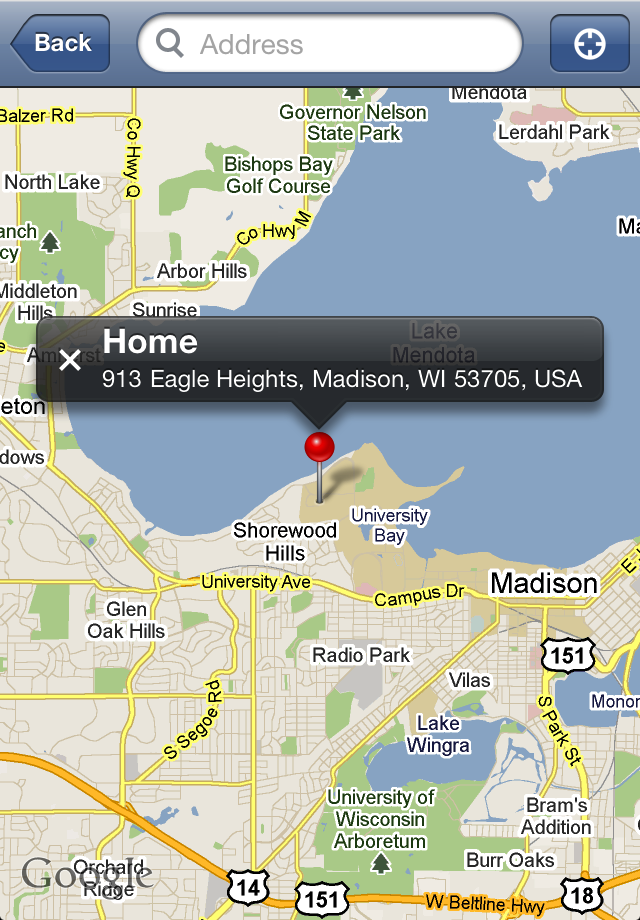
With Geo Locations you can explore Nearby tasks in Google Map.
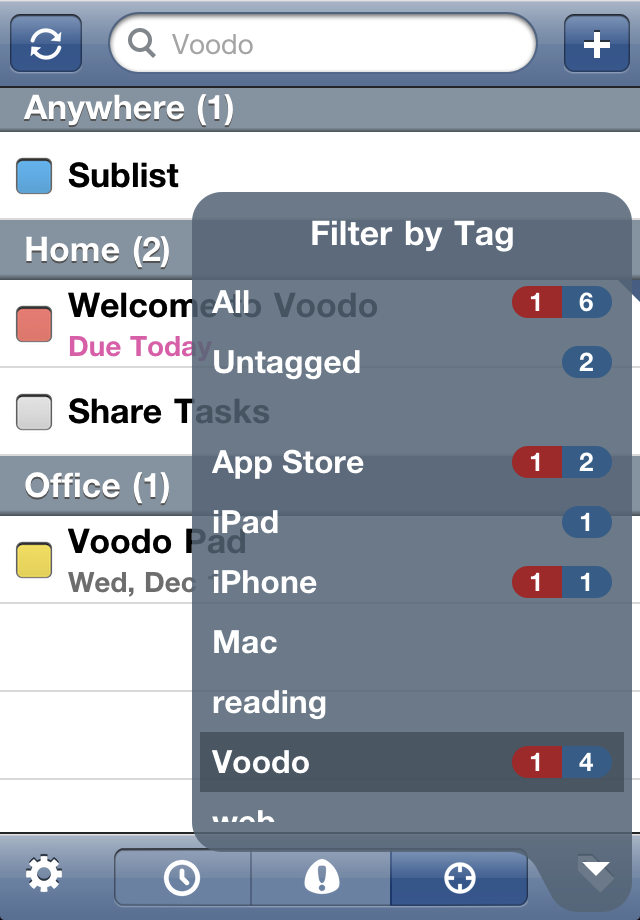
Tap  to pop up the Tag Filter. Select a tag to view tasks with that tag.
All and Untagged are the two special tags.
The number along each tag tells you how many tasks remain for that tag. If there are overdue tasks, the number is highlighted and represented in the form of overdue-task-count/todo-task-count.
Voodo's Tag system is really wonderful.
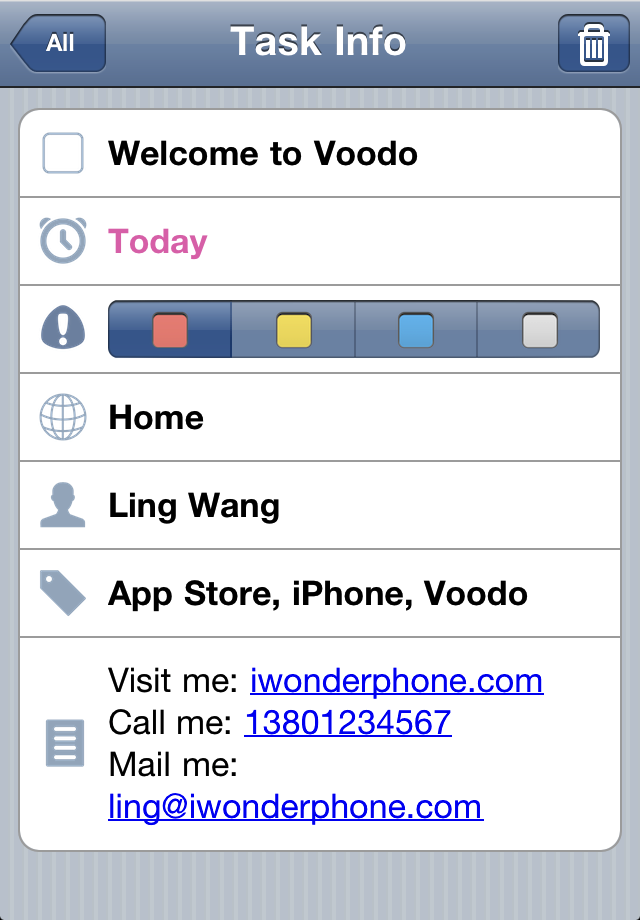
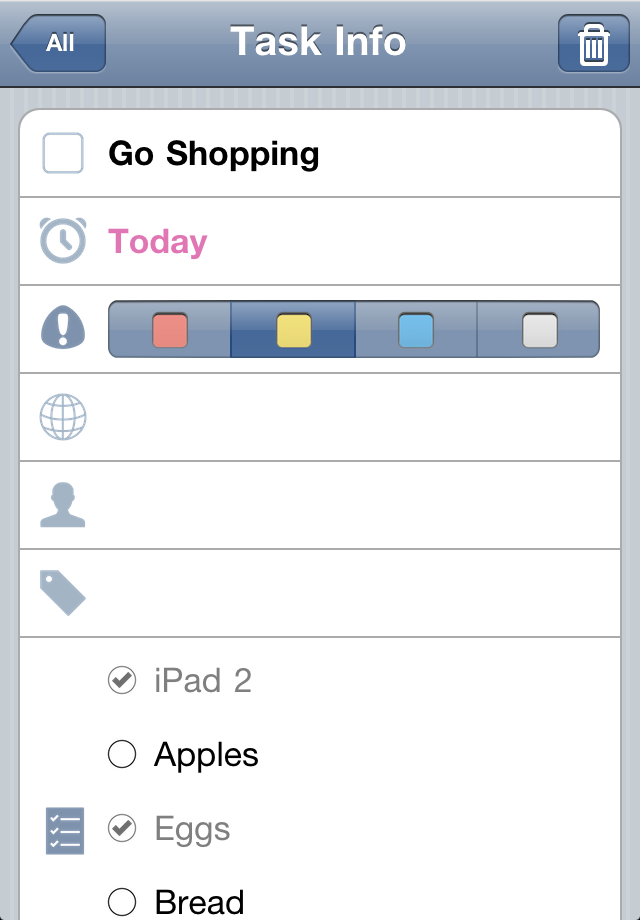
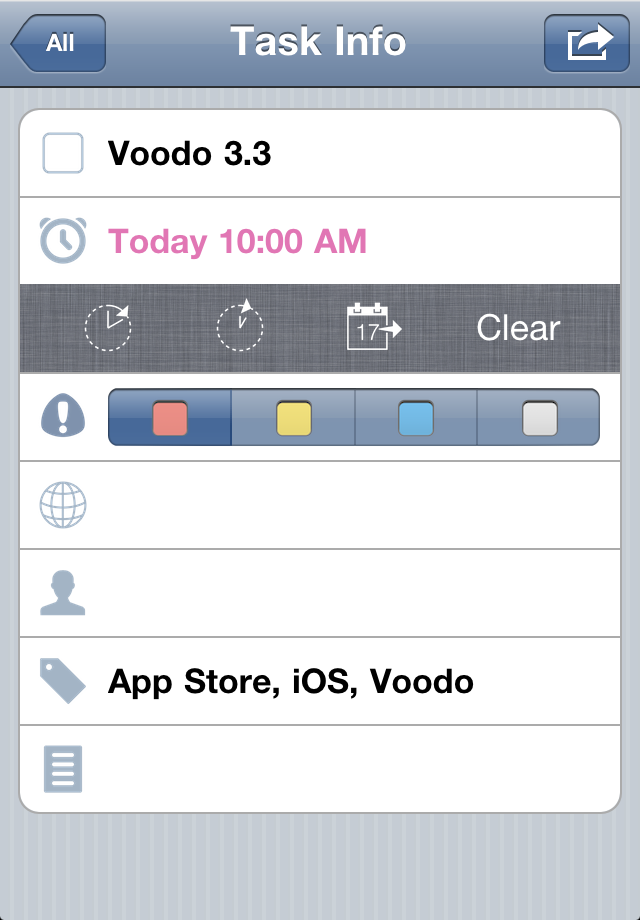
Tap a task to enter Task Info to view/edit the task.
Looking for the Edit/Done button? Forget about it. Voodo makes you tap as few as possible. Just tap any field of interest to edit.
You can also check-off and delete the task here.
Phone numbers, web links, and email addresses are auto detected in task Note. Just tap to call/go.
Even better than Smart Note for calling someone is Contacts integration.
Have you noticed that Voodo has no top level Folder list?
Yes, all the exiting GTD apps have it. But Voodo forgoes it purposely, because Folders are too rigid to flexibly organize tasks, and a top level Folder list makes the hierarchy deeper, which means you have to do more boring navigation.
However, I can not just take out all the boxes and let your tasks scattered. I must put something back. What about a wonderful Tag system?
Tags are intrinsically flexible and suitable for organizing tasks. Voodo make extreme use of them.
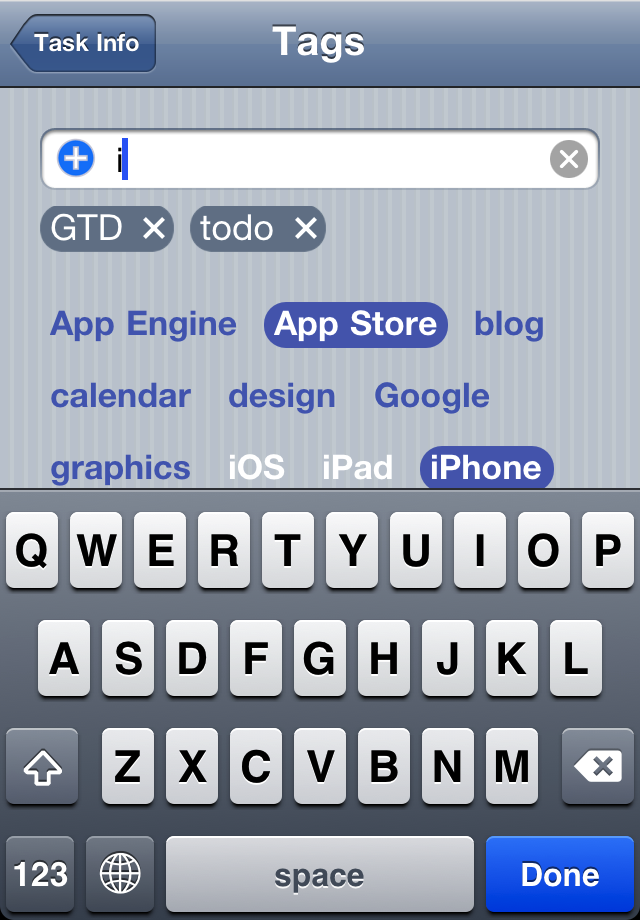
Tag Tap Toggling - Just tap an existing tag to select or deselect it for the task.
Tag Input Hint - Just input the first one or two characters of the tag name, the tag you are looking for will scroll in and get highlighted for you to tap it.
Tag Filter - You've already learned it above.
Smart Tag Cleaner - You can delete tags you don't want any more one by one. But behind the scenes, Voodo diligently does it for you automatically.
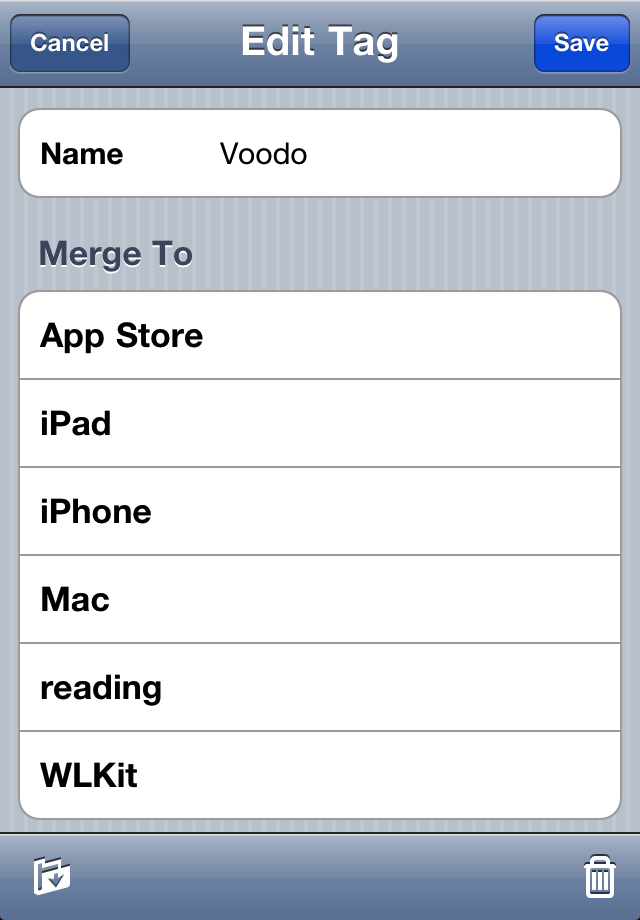
Edit Tag - After selecting a tag, you can edit it(except All and Untagged) by tapping it again in Tag Filter. You can rename, delete, and merge it with another tag.
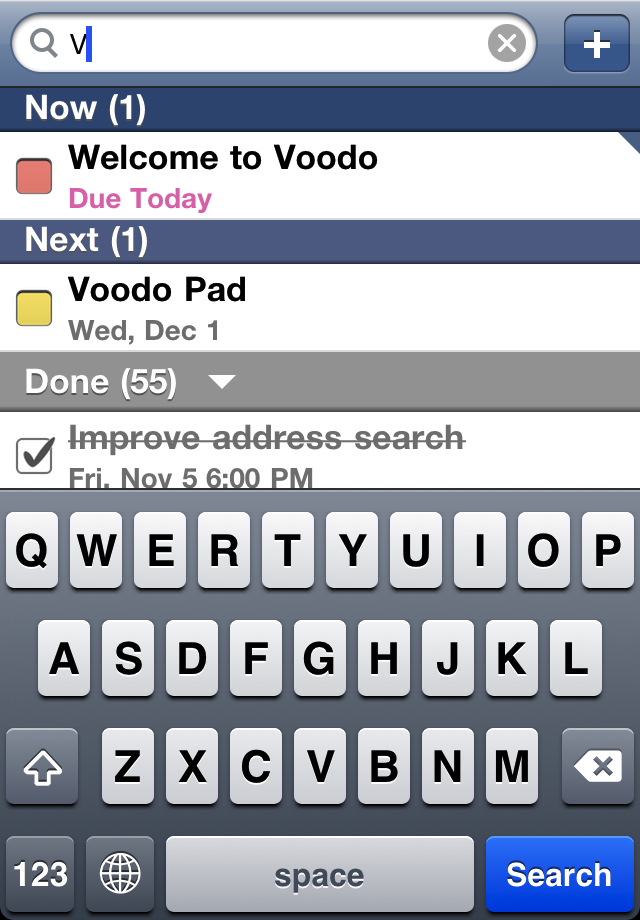
Task Search together with Tag Filter makes looking up a specific task a breeze.
If you can't find it, Quick Add it.
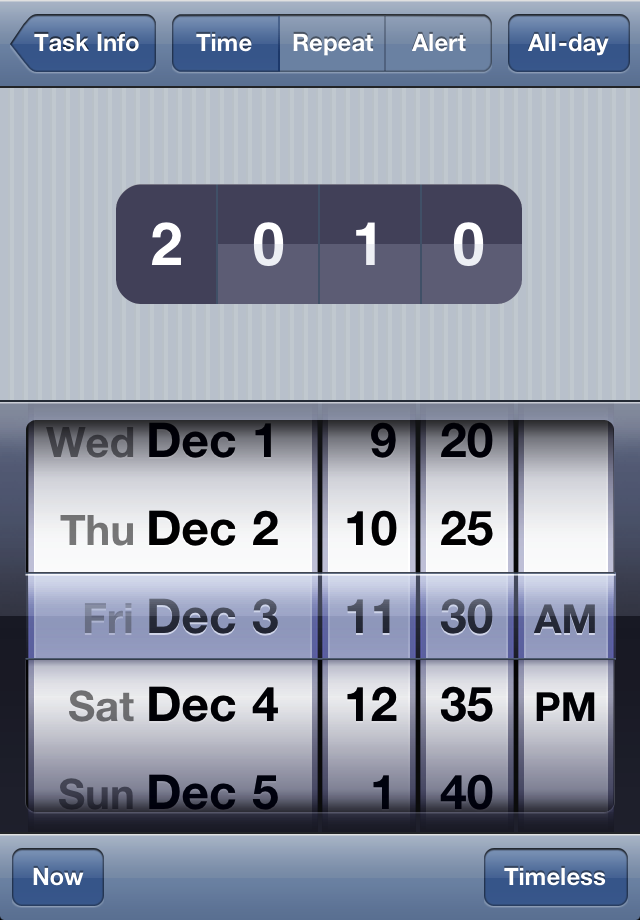
Only care about the date? Make it All-day.
Not sure about the due time or not care at all? Make it Timeless.
Want a precise control? Switch All-day off.
Doing a really long term schedule? Use Year Flip.
Recurring tasks? No problem, and they sync perfectly with recurring events in Google Calendar.
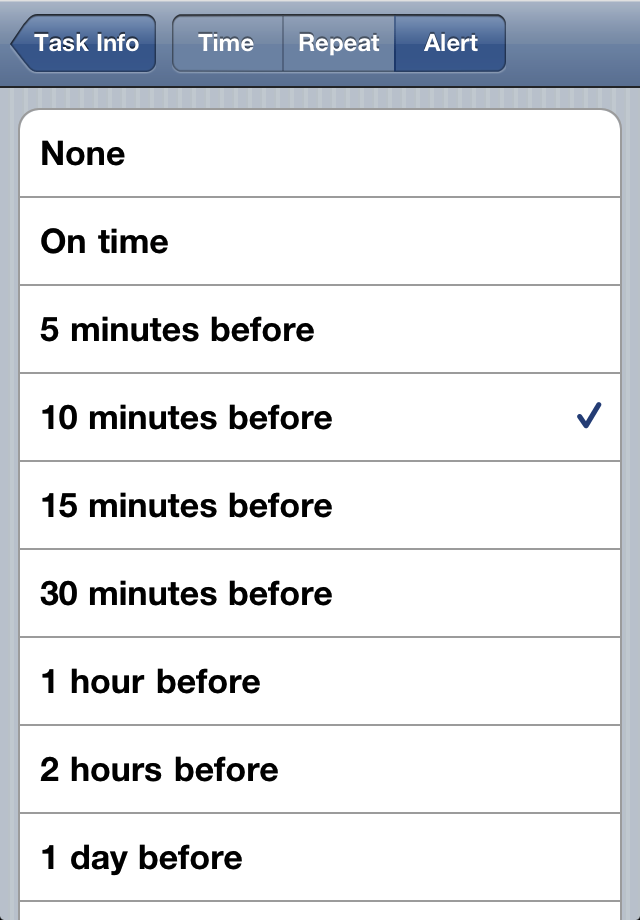
And of course alerts. What's the point of a todo app without reminders? If one local alert per task is not enough, set Notifications in Google Calendar to receive push reminders via Email or SMS.
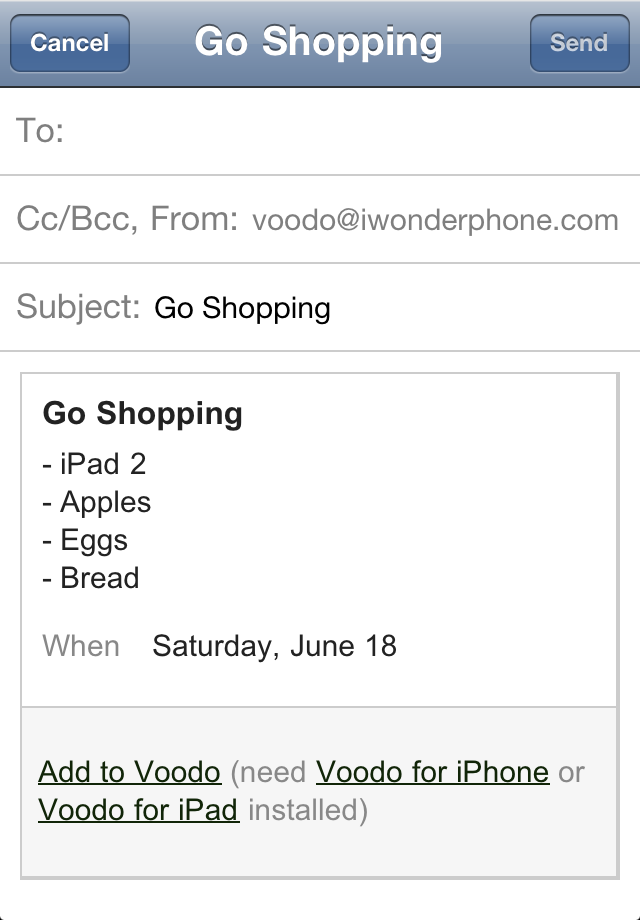
Subtasks, together with Task Copy, are perfect for shopping lists you can easily reuse.
Task Sharing even helps you delegate your shopping work to your partners :)
With Quick Acions, you can do rescheduling very conveniently - just don't abuse it for procrastination.
Not every thing can be done Anywhere.
Washing should be done at home.
Your boss told you to do the paperwork in office.
Have an exam next week? Prepare for it. At least remember to go to school to take it.
Locations are not only symbols, they can have a geographic address - Geo Locations.
Geo Locations help you explore Nearby tasks easily, whether in a map, or
distance ordered list.